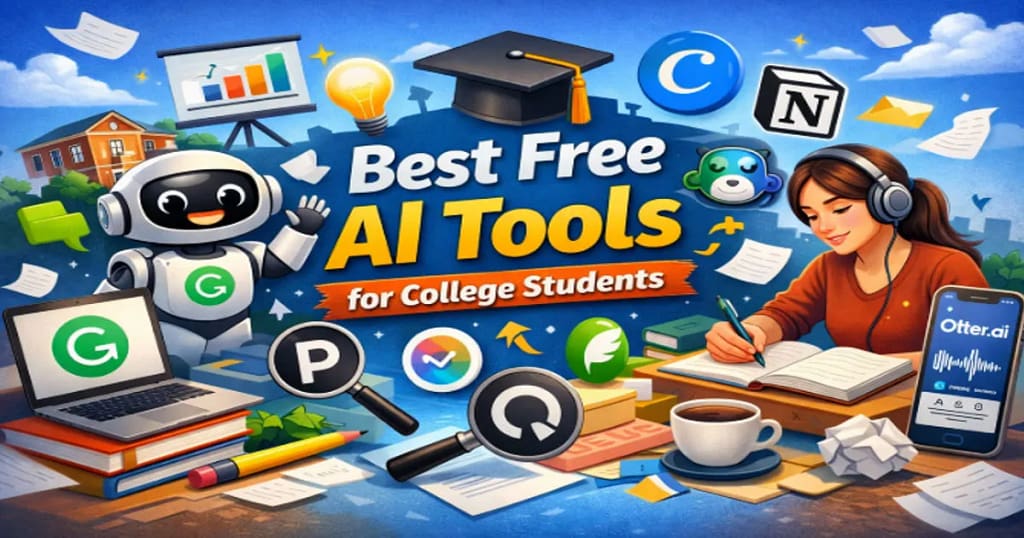
Last Updated on April 25, 2026 by Rex
College life today looks very different from even five years ago. Assignments arrive faster, research expectations are higher, and productivity matters more than ever.
This is exactly where AI tools for college students are becoming game-changers.
Instead of spending hours organizing notes, rewriting essays, or summarizing long PDFs, students can now use free AI tools to study smarter and manage time better.
But here’s the catch:
There are hundreds of AI tools online, and most of them are either paid, overhyped, or not useful for real academic work.
This guide focuses only on the best free AI tools for college students that are practical, trusted, and widely used. These tools can help with:
Studying and research
Writing and editing
Presentations
Coding and technical learning
Productivity and note-taking
Let’s explore the most useful ones.
Many students are also using AI to understand difficult programming topics faster. If you’re learning coding, this guide on AI tools to learn programming concepts faster explains how students use AI to simplify complex Java topics.
1. ChatGPT: Best AI Study Assistant
One of the most widely used AI tools by students today is ChatGPT.
It works like a smart conversation partner that can explain complex topics, summarize readings, generate study notes, and even help brainstorm ideas for essays or projects.
Students often use it for:
Explaining difficult concepts in simple language
Summarizing long articles or research papers
Generating practice questions for exams
Brainstorming essay structures
Learning coding concepts
Another big advantage is flexibility. Whether you’re studying economics, computer science, or literature, the tool adapts to your questions.
However, responsible use matters. Always verify information and avoid copying AI-generated content directly into assignments.
Students who are learning programming often combine ChatGPT with other AI tools for developers to write, debug, and understand code more efficiently.
Source: https://openai.com/chatgpt
2. Grammarly: Best AI Writing Assistant

Writing essays, reports, and emails is a constant part of college life.
Grammarly helps students improve their writing by checking grammar, punctuation, clarity, and tone in real time.
The free version already offers powerful features:
Grammar correction
Sentence clarity suggestions
Tone detection
Basic writing improvements
Many universities recommend Grammarly because it helps students develop stronger writing habits rather than just correcting mistakes.
It also integrates easily with:
Google Docs
Microsoft Word
Web browsers
Source: https://www.grammarly.com
3. Notion AI: Best Tool for Notes and Organization
Many students struggle with organization more than academics.
Notion AI combines note-taking, task management, and AI assistance into one workspace.
Students use it to:
Organize lecture notes
Create study dashboards
Generate summaries of long notes
Build assignment trackers
Manage group projects
For example, you can paste messy lecture notes and ask the AI to convert them into structured summaries or bullet points.
This makes studying before exams much easier.
Source: https://www.notion.so
4. Perplexity AI: Best AI Research Tool
Traditional search engines often require opening many tabs to find the right information.
Perplexity AI works differently. It combines AI answers with verified web sources, making research faster.
Students use it for:
Finding research material quickly
Getting summarized explanations
Discovering credible sources
Understanding academic topics faster
Unlike many AI tools, it clearly cites sources, which is important for academic work.
This makes it especially useful when writing research papers.
Source: https://www.perplexity.ai
5. Canva AI: Best AI Tool for Presentations
College presentations can take hours to design.
Canva AI simplifies the process by generating presentation slides, images, and layouts automatically.
Students can:
Create slides from simple prompts
Generate graphics for projects
Design posters or infographics
Edit images with AI tools
Even students with zero design experience can produce professional-looking slides in minutes.
This is particularly helpful for group projects and class presentations.
Source: https://www.canva.com
6. QuillBot: Best AI Paraphrasing Tool
Sometimes students understand a concept but struggle to explain it in their own words.
QuillBot helps rewrite sentences while preserving the original meaning.
Common uses include:
Paraphrasing research notes
Improving sentence flow
Summarizing paragraphs
Enhancing academic writing clarity
The free version allows limited daily use, which is usually enough for small assignments.
Still, students should treat it as a writing aid, not a shortcut for plagiarism.
Source: https://quillbot.com
7. GitHub Copilot: Best AI Tool for Coding Students
For students studying computer science, programming assignments can be challenging.
GitHub Copilot acts like an AI coding assistant that suggests code while you write.
It helps with:
Auto-completing code
Explaining programming functions
Suggesting solutions to coding problems
Learning new programming languages
GitHub offers free access for verified students, making it one of the most valuable tools for developers in college.
Source: https://github.com/features/copilot
8. Otter.ai: Best AI Tool for Lecture Notes

Taking notes during fast-paced lectures can be difficult.
Otter.ai solves this by converting spoken lectures into text automatically.
Students use it for:
Recording lectures
Generating automatic transcripts
Reviewing missed details
Sharing notes with classmates
This tool is especially useful for online classes and recorded lectures.
However, always check university policies before recording lectures.
Source: https://otter.ai
How AI Tools Can Actually Improve Study Productivity
AI tools work best when used as learning assistants, not replacements for effort.
Students who use AI effectively often follow this workflow:
Use AI to understand difficult topics
Create structured study notes
Generate practice questions
Improve writing clarity
Organize assignments and deadlines
This approach saves time while still encouraging active learning.
Track Your Semester Performance Easily
While AI tools can help you study smarter, many students also struggle to quickly calculate their semester results.
If you want a simple way to calculate your grades, you can use this free SGPA calculator for students to instantly estimate your semester performance.
Try the calculator here: online SGPA calculator for students
This tool helps students quickly convert subject grades into SGPA so they can track academic progress and plan improvement strategies.
Prompt for Studying
Prompt for Notes
Prompt for Research
My Real Experience Using AI Tools for Studying
When I first started testing these AI tools as a student workflow experiment, the biggest surprise was not the technology — it was how much time disappeared from small tasks. Things like rewriting messy notes, fixing grammar, or summarizing long PDFs used to eat up hours.
For example, after a two-hour lecture, my notes looked like a random mix of half sentences and arrows everywhere. Using tools like AI note organizers helped turn that chaos into clean summaries within minutes.
Another lesson: AI works best as a thinking partner, not a shortcut. When used to clarify concepts or structure ideas, it genuinely makes studying easier — and far less stressful.
Comparison Table
| Tool | Best For | Free Plan | Platform |
|---|---|---|---|
| ChatGPT | Concept explanations & brainstorming | Yes | Web |
| Grammarly | Grammar & writing clarity | Yes | Web / Extension |
| Notion AI | Notes & organization | Limited | Web / App |
| Perplexity AI | Research with sources | Yes | Web |
| Canva AI | Presentations & designs | Yes | Web / App |
| QuillBot | Paraphrasing text | Limited | Web |
| GitHub Copilot | Coding assistance | Free for students | IDE |
| Otter.ai | Lecture transcription | Limited | Web / App |
Free AI Study Toolkit for Students (PDF)
If you want a simple way to apply everything discussed in this guide, download the AI Study Toolkit below.
This toolkit includes:
• AI tools every student should know
• Ready-to-use AI study prompts
• Note-taking workflow
• AI exam preparation strategy
• Study planning templates
Instead of remembering everything from the article, you can keep this PDF as a quick reference while studying.
Download the Free AI Study Toolkit: AI_Study_Toolkit
Important Tips for Using AI Tools in College
AI tools are powerful, but responsible usage matters.
Here are a few practical guidelines:
Verify important information
AI tools can make mistakes, especially in specialized subjects.
Avoid plagiarism
Use AI for assistance, not copying entire assignments.
Use AI to learn, not replace thinking
The goal should always be understanding concepts.
Follow university policies
Some universities have rules about AI use in assignments.
Frequently Asked Questions (FAQ)
1 Are free AI tools allowed for college assignments?
Most colleges allow students to use AI tools for learning support, such as brainstorming, summarizing information, or improving writing clarity. However, policies vary between universities, and some institutions restrict submitting AI-generated work as original assignments. Academic integrity rules still apply, and students are usually responsible for verifying the accuracy of any AI-generated content. Many universities recommend using AI tools as study aids rather than replacements for independent work.
Source: University of Oxford
Source: UNESCO
2 Are free AI tools safe for students to use?
Most well-known AI tools follow standard privacy and security practices, but users should still be careful with sensitive information. Students should avoid uploading personal data, confidential research, or private documents unless they understand the platform’s privacy policies. Trusted platforms usually publish transparency policies explaining how user data may be processed. Reading official privacy documentation is the safest way to understand how data is handled.
Source: OpenAI
Source: Electronic Frontier Foundation
3 Can AI tools replace studying or learning?
AI tools cannot replace genuine learning. They can assist with explanations, summaries, or organization, but they do not replace critical thinking or subject understanding. Educational researchers emphasize that AI works best as a learning support tool rather than a substitute for academic effort. Students still need to read materials, practice skills, and verify information independently.
Source: UNESCO
4 Do students need to pay to use AI tools?
Many AI platforms offer free versions with limited features, which are usually enough for basic tasks like writing assistance, summarizing content, or note organization. Some tools provide premium plans that include advanced capabilities or higher usage limits. Pricing and availability can change over time depending on the company’s policies. Students should always check the official website to see current pricing and student offers.
Source: Grammarly
Source: Notion
5 Are AI-generated answers always accurate?
AI systems generate responses based on patterns in large datasets, which means they can occasionally produce incorrect or outdated information. Developers usually recommend verifying important facts using reliable sources before relying on AI-generated content. This is particularly important for academic research and assignments. AI tools are designed to assist research, not replace fact-checking.
Source: National Institute of Standards and Technology
Source: OpenAI
Final Thoughts
AI is rapidly becoming part of modern education.
Students who learn to use free AI tools for college students early often gain a huge advantage in productivity, research, and learning efficiency.
Tools like ChatGPT, Grammarly, Notion AI, and Perplexity can help simplify studying, writing, and project management.
But the real benefit comes from using AI thoughtfully.
When used responsibly, these tools act like personal study assistants that help students focus on what truly matters—learning, creativity, and problem-solving.
Share this:

Discover more from GroWithMoney
Subscribe to get the latest posts sent to your email.