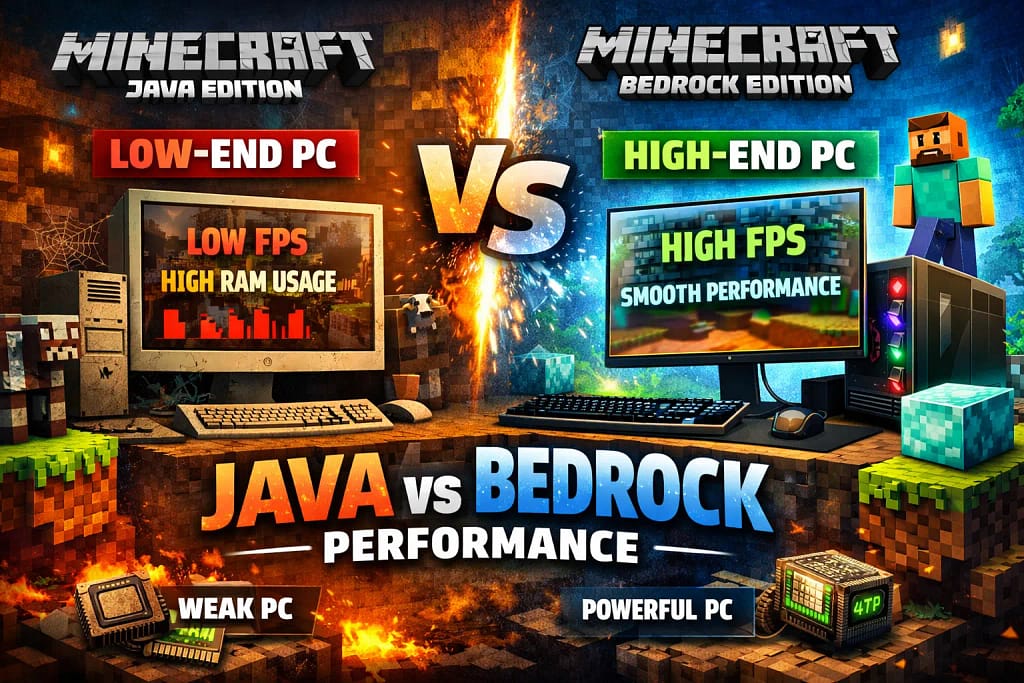
In this guide, we explore Minecraft Java vs Bedrock performance to help players understand how both editions behave on low-end and high-end PCs. Minecraft may look simple on the surface, but when it comes to performance, the edition you choose can make a huge difference—especially depending on your PC.
If you’ve ever wondered why Minecraft runs smoothly on one system but stutters on another, this guide is for you.
In this detailed Minecraft Java vs Bedrock performance comparison, we’ll break down FPS behavior, CPU and RAM usage, optimization potential, and which edition actually makes sense for low-end and high-end PCs—without hype, myths, or exaggeration.
Minecraft Editions at a Glance (Performance Context)
Before diving into benchmarks and system behavior, it’s important to understand how both editions are built.
Minecraft Java Edition
Written in Java
Runs on the Java Virtual Machine (JVM)
Extremely flexible with mods and settings
Mostly CPU-dependent
Minecraft Bedrock Edition
Written in C++
Uses a native engine
Designed for cross-platform performance
Highly optimized at the engine level
This technical difference alone explains most of the performance gap you’ll see across different PCs.
If you want a broader understanding beyond performance, our complete Minecraft Java vs Bedrock guide covers gameplay, mods, multiplayer, and platform differences in detail.
FPS Comparison: Java vs Bedrock on Different PCs
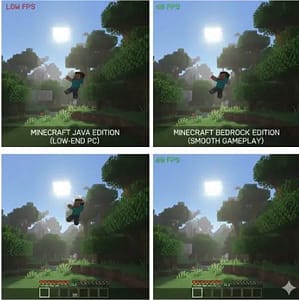
FPS (frames per second) is the most noticeable performance metric for players. Let’s compare both editions realistically.
FPS on Low-End PCs
Typical low-end setup:
Dual-core CPU (older i3 / Ryzen 3 / Pentium)
4–8 GB RAM
Integrated graphics (Intel UHD / Vega)
Minecraft Java Edition
FPS can fluctuate heavily
Often struggles with chunk loading
Background processes impact performance quickly
Stutters appear without tuning
Even at low settings, Java may drop frames during exploration or in mob-heavy areas.
Minecraft Bedrock Edition
Consistently higher FPS
Smoother chunk loading
Stable frame pacing
Handles integrated GPUs better
On the same low-end PC, Bedrock often delivers 30–60% higher FPS in identical scenarios.
Winner for low-end PCs: Bedrock Edition
FPS on Mid-Range PCs
Typical mid-range setup:
Quad-core CPU
8–16 GB RAM
Entry-level dedicated GPU (GTX 1650 / RX 6500 XT)
Java Edition
Stable FPS with proper settings
Mods like Sodium can dramatically boost performance
Still CPU-limited in heavy worlds
Bedrock Edition
Very high and stable FPS
Rare frame drops
GPU usage more balanced
Here, the difference narrows—but Bedrock still feels smoother without tweaking.
FPS on High-End PCs
Typical high-end setup:
6–12 core CPU
16–32 GB RAM
Strong GPU (RTX / RX series)
Java Edition
Can hit very high FPS
Performance varies by world complexity
Benefits from mods and manual tuning
CPU bottlenecks still exist
Bedrock Edition
FPS often capped by engine or VSync
Extremely stable performance
Less sensitive to world complexity
On high-end systems, both editions run well—but Java can push higher FPS if optimized.
Winner on high-end PCs: Depends on optimization vs stability
RAM Usage: Which Edition Is More Efficient?
Minecraft Java RAM Usage
Java allows manual memory allocation, which sounds great—but comes with trade-offs.
Requires 2–4 GB RAM minimum for smooth play
Allocating too much RAM can hurt performance
Garbage collection can cause micro-stutters
Mods increase RAM demand quickly
Java rewards technical users but punishes incorrect settings.
Minecraft Bedrock RAM Usage
Bedrock handles memory internally.
Uses less RAM overall
Dynamic memory allocation
Minimal background overhead
Rare memory spikes
On low-end systems, this efficiency makes a visible difference.
RAM efficiency winner: Bedrock Edition
CPU Usage: Single-Core vs Multi-Core Reality
Java Edition CPU Behavior
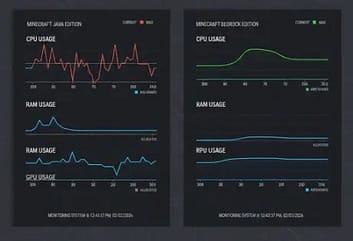
Java relies heavily on single-core performance.
World generation is CPU-intensive
Redstone and entities stress one core
High clock speed matters more than core count
Even powerful CPUs can bottleneck if single-core performance dips.
Bedrock Edition CPU Behavior
Bedrock uses multi-threading more effectively.
Better workload distribution
Background tasks handled smoothly
Lower CPU spikes
This makes Bedrock far more forgiving on older or weaker processors.
CPU optimization winner: Bedrock Edition
GPU Utilization Differences
Java Edition
Limited GPU usage
CPU often becomes the bottleneck
Shaders increase GPU load significantly
Vanilla rendering is CPU-heavy
Bedrock Edition
Better GPU utilization
Engine-level rendering optimizations
Smooth lighting and chunk rendering
Stable performance without shaders
For players without a strong GPU, Bedrock still performs reliably.
These performance behaviors are part of the deeper Minecraft Java vs Bedrock differences, including how both editions handle system resources and world processing.
Recommended Performance Settings (Both Editions) :-Minecraft_Performance_Settings_Low_End_PC
Optimization Potential: Control vs Convenience
This is where Java fights back.
Java Edition Optimization Options
Java offers deep control:
Sodium, Lithium, Starlight mods
JVM tuning options
Custom render distance handling
Performance-focused modpacks
With proper setup, Java performance can rival or exceed Bedrock on strong PCs.
Bedrock Edition Optimization
Bedrock is optimized by default:
Fewer advanced settings
Limited mod-based performance tweaks
Stable without user intervention
It’s “plug-and-play,” but less customizable.
Real-World Stability and Stutter Behavior
Performance isn’t just FPS—it’s consistency.
Java Edition
Micro-stutters during garbage collection
Lag spikes during autosaves
Heavier worlds amplify issues
Bedrock Edition
Very consistent frame pacing
Minimal stutters
Smooth exploration experience
For casual players, this stability matters more than peak FPS.
Best Edition for Weak PCs
If your PC is:
Old
Low on RAM
Using integrated graphics
CPU-limited
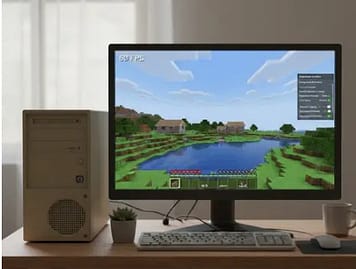
Minecraft Bedrock Edition is the clear winner
It offers:
Better FPS
Lower system requirements
Less tweaking
More stability
Best Edition for High-End PCs
If you:
Enjoy tweaking settings
Use performance mods
Play heavily modded worlds
Want maximum control
If performance isn’t your only concern and you’re still deciding which Minecraft edition is better, this comparison breaks down long-term value, updates, and overall experience.
Minecraft Java Edition becomes viable—and powerful
But it still requires effort.
Minecraft Java vs Bedrock Performance Comparison Summary
| Aspect | Java Edition | Bedrock Edition |
|---|---|---|
| FPS (Low-end PC) | Lower | Higher |
| FPS (High-end PC) | High (optimized) | Stable |
| RAM Efficiency | Moderate | Excellent |
| CPU Usage | Single-core heavy | Multi-core friendly |
| Optimization Effort | High | Low |
| Stability | Moderate | Very High |
Quick Decision Table
| Your PC Type | Recommended Edition | Reason |
|---|---|---|
| Low-end PC / Laptop | Bedrock Edition | Better FPS, lower RAM & CPU usage |
| Integrated Graphics | Bedrock Edition | Engine-level optimization |
| High-end PC | Java Edition | Better scaling with mods |
| Heavily Modded Play | Java Edition | Performance mods + control |
| Casual Vanilla Play | Bedrock Edition | Smooth, no tuning needed |
Common Minecraft Performance Myths (Explained)
Java always runs worse. → Not true with optimization
More RAM means better FPS → Can reduce performance
Bedrock is only for mobile. → The PC version is highly optimized
FAQs (Frequently Asked Question)
Q: Does Bedrock Edition always run smoother than Java?
Yes, especially on low-end and mid-range PCs due to its native engine.
Q: Can Java outperform Bedrock on high-end PCs?
Yes, with performance mods and correct settings.
Q: Which edition uses less RAM?
Bedrock Edition uses less RAM in most scenarios.
Trusted Sources & References
To ensure accuracy and trustworthiness, this article is based on:
Final Takeaway
This Minecraft Java vs Bedrock performance comparison shows one clear truth:
Performance isn’t about which edition is “better”—it’s about which edition fits your hardware.
Low-end PC? Choose Bedrock and enjoy smooth gameplay.
High-end PC with tuning knowledge? Java can shine.
Discover more from GroWithMoney
Subscribe to get the latest posts sent to your email.
Pingback: Minecraft Java vs Bedrock PC Differences You Should Know
Pingback: Minecraft Java vs Bedrock vs Windows Edition Explained
Pingback: Minecraft Java vs Bedrock 2026: What’s Changed?
Pingback: Minecraft Java vs Bedrock edition 2026: A Beginner’s Buying Guide