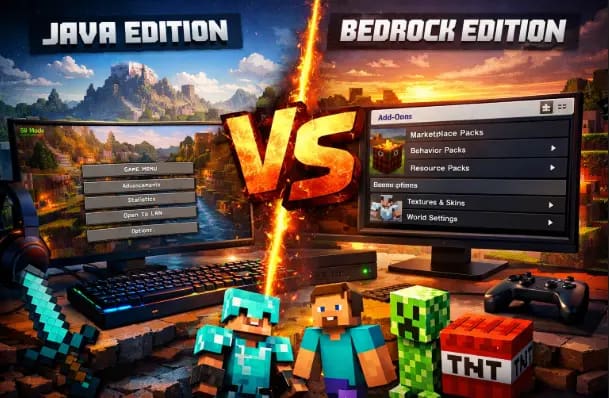
Minecraft looks simple on the surface, but choosing between Java Edition and Bedrock Edition on PC can quietly shape your entire experience. From how mods work to how deep you can customize controls, these two versions behave very differently once you move past the menu screen.
If you’re searching for Minecraft Java vs Bedrock PC differences, this guide breaks everything down in a clean, practical way. No hype. No myths. Just real differences that actually matter on a PC.
What Are Minecraft Java and Bedrock Editions on PC?
Before diving into features, it helps to understand what separates these editions at a technical level.
Minecraft Java Edition is the original PC version written in Java. It runs on Windows, macOS, and Linux and remains the most flexible edition for advanced users.
Minecraft Bedrock Edition (Windows) is built on Mojang’s Bedrock Engine. It’s optimized for performance and shared across consoles, mobile devices, and Windows PCs.
Both versions receive official updates and support, but they target different types of players.
Official references:
Minecraft Java Edition – Mojang Studios
Minecraft Bedrock Edition – Mojang Studios
If you’re new to the game, understanding the basics of the Minecraft Java vs Bedrock editions helps before diving into PC-specific differences.
PC-Specific Features That Set Them Apart
Platform Compatibility
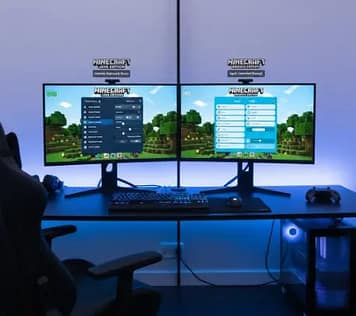
Java Edition works across multiple desktop operating systems. If you use Linux or macOS, Java is your only official option.
Bedrock Edition runs only on Windows 10 and 11. It does not support macOS or Linux without emulation, which Mojang does not recommend.
For PC players who value operating system freedom, Java clearly wins here.
Performance and Resource Usage
Bedrock Edition generally runs smoother on lower-end PCs. The Bedrock Engine is written in C++, which helps it use CPU and memory more efficiently.
Java Edition can feel heavier, especially on weaker systems. However, Java allows performance-boosting mods like Sodium and Lithium, which can significantly improve frame rates.
In short:
Bedrock = better out-of-the-box performance
Java is better for long-term optimization if you tweak it
Performance varies a lot by system, and this detailed breakdown of Java vs Bedrock performance on PC explains why.
World Size and Simulation Distance
Java Edition gives you more control over simulation distance. You can adjust how far mobs, redstone, and farms stay active.
Bedrock ties many of these mechanics to render distance, which limits complex automation setups.
This matters a lot for technical players who build farms, redstone machines, or multiplayer servers.
Modding Freedom: Where Java Dominates
Mod Support and Ecosystem
This is the biggest difference for many PC players.
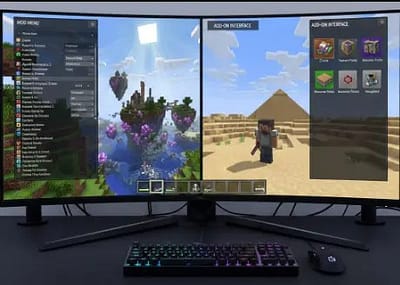
Java Edition supports free, community-driven mods. Players use mod loaders like Forge and Fabric to install everything from performance tools to full gameplay overhauls.
Bedrock Edition does not support traditional mods. Instead, it uses add-ons and marketplace content, which operate within strict limits.
Java mods can:
Change game mechanics
Add new dimensions
Modify AI and redstone behavior
Improve graphics and performance
Bedrock add-ons mostly adjust the following:
Textures
Mobs
Simple behaviors
Cost and Access to Mods
Java mods are almost always free and open-source. Communities like CurseForge and Modrinth host thousands of trusted projects.
Bedrock Marketplace content often costs money and cannot be edited freely. While some free add-ons exist, they lack the depth of Java mods.
For PC players who enjoy experimentation, Java offers far more creative freedom.
Updates and Mod Stability
Java modding communities update quickly after major releases. Popular mods often release test builds within days.
Bedrock Add-ons depend on Marketplace approval and engine limitations. Updates can break compatibility more often.
If mod stability matters to you, Java’s ecosystem is more transparent and flexible.
Controls & Customization on PC
Keybinding and Input Control
Java Edition allows deeper keybinding customization. Nearly every action can be remapped, including mod-added controls.
Bedrock supports keybinding changes, but options are more limited. Some actions remain locked to default inputs.
Java also supports advanced mouse tweaks through mods, which competitive players appreciate.
Mouse Sensitivity and Aim Behavior
Java uses raw mouse input more consistently. This provides predictable aim, especially in PvP scenarios.
Bedrock applies subtle input smoothing and acceleration. Casual players rarely notice, but experienced PC gamers often feel the difference.
For precise combat or parkour, Java feels more natural to many players.
Controller Support
Bedrock Edition supports controllers natively on PC. You can plug in a controller and play instantly.
Java does not include built-in controller support. Players rely on mods or external tools to make controllers work.
If you plan to switch between keyboard and controller, Bedrock offers convenience.
Redstone and Technical Gameplay Differences
Redstone behaves differently between the two editions.
Java redstone follows predictable update order rules, which allows precise machines and farms.
Bedrock redstone uses randomized update order. This makes some contraptions unreliable or impossible.
Technical builders usually prefer Java because machines behave exactly as designed.
Trusted reference:
Minecraft Redstone Mechanics – Minecraft Wiki
These mechanics matter for farms and automation, especially the redstone differences between Java and Bedrock.
Multiplayer and Cross-Play on PC
Cross-Platform Play
Bedrock Edition supports cross-play with consoles and mobile devices. You can join friends on Xbox, PlayStation, or phones.
Java Edition only supports PC players using Java.
If your friends play on consoles, Bedrock is the only way to play together officially.
Servers and Community Hosting
Java has a massive server ecosystem. Many servers run custom plugins, mods, and unique game modes.
Bedrock servers exist but offer fewer customization options.
Java servers also support advanced moderation tools, making them popular for long-term communities.
Server size also differs, and this guide on player count limits in Java and Bedrock explains what to expect.
Updates, Snapshots, and Testing
Java players get early access through snapshots. These experimental builds allow players to test upcoming features.
Bedrock uses Preview builds, but access is more limited and often tied to the Microsoft Store.
Java snapshots feel more open and community-driven, which appeals to players who like testing new mechanics early.
Graphics, Shaders, and Visual Control
Java Edition supports powerful shader packs through tools like OptiFine and Iris.
Shaders can:
Add dynamic lighting
Improve water reflections
Enhance shadows and skies
Bedrock supports RTX ray tracing, but only on supported GPUs and selected worlds.
Java shaders offer more flexibility. Bedrock RTX offers realism but limited customization.
Stability and Bug Behavior
Both editions receive regular bug fixes, but bugs behave differently.
Java bugs often become features or mechanics players rely on, especially in redstone.
Bedrock bugs tend to affect gameplay unpredictably, which frustrates technical players.
Neither version is perfect, but Java’s bugs are better documented and understood.
Which Version Is Better for PC Players?
There is no universal winner. The better edition depends on how you play.
Choose Java Edition if you:
Want full modding freedom
Enjoy redstone and technical builds
Use macOS or Linux
Prefer deep customization
Choose Bedrock Edition if you:
Want smoother performance on low-end PCs
Need cross-play with consoles or mobile
Prefer plug-and-play simplicity
Use a controller regularly
Both versions offer the full Minecraft experience, just through different philosophies.
Quick Comparison Table
| Feature | Java Edition (PC) | Bedrock Edition (PC) |
|---|---|---|
| Modding | Full mods (Forge/Fabric) | Add-ons only |
| Performance | Needs optimization | Smooth by default |
| Cross-Play | PC only | PC + console + mobile |
| Redstone | Predictable | Randomized |
| Controller Support | Mod required | Native support |
Frequently Asked Questions
Q1. Is Minecraft Java better than Bedrock on PC?
Java is better for modding and advanced gameplay, while Bedrock is better for smoother performance and cross-play.
Q2. Which Minecraft version runs better on low-end PCs?
Bedrock generally runs better on low-end PCs due to better engine optimization.
Q3. Can Bedrock mods match Java mods on PC?
No. Java supports full mods, while Bedrock only supports limited add-ons.
Q4. Do Java and Bedrock players use the same servers?
No. Java and Bedrock use separate server systems.
Sources & References
Final Thoughts
Understanding Minecraft Java vs Bedrock PC differences helps you avoid frustration and make a smarter choice. Java rewards curiosity and customization. Bedrock rewards simplicity and accessibility.
Neither edition is “better” by default. The right version is the one that matches how you enjoy Minecraft on PC.
If you value control, mods, and technical depth, Java will feel like home. If you want smooth performance and easy multiplayer, Bedrock fits better.
Either way, Minecraft remains one of the most flexible and creative games ever built—and PC players still get the best seat in the house.
This comparison is based on official Minecraft documentation, community testing, and hands-on PC gameplay experience.
Discover more from GroWithMoney
Subscribe to get the latest posts sent to your email.