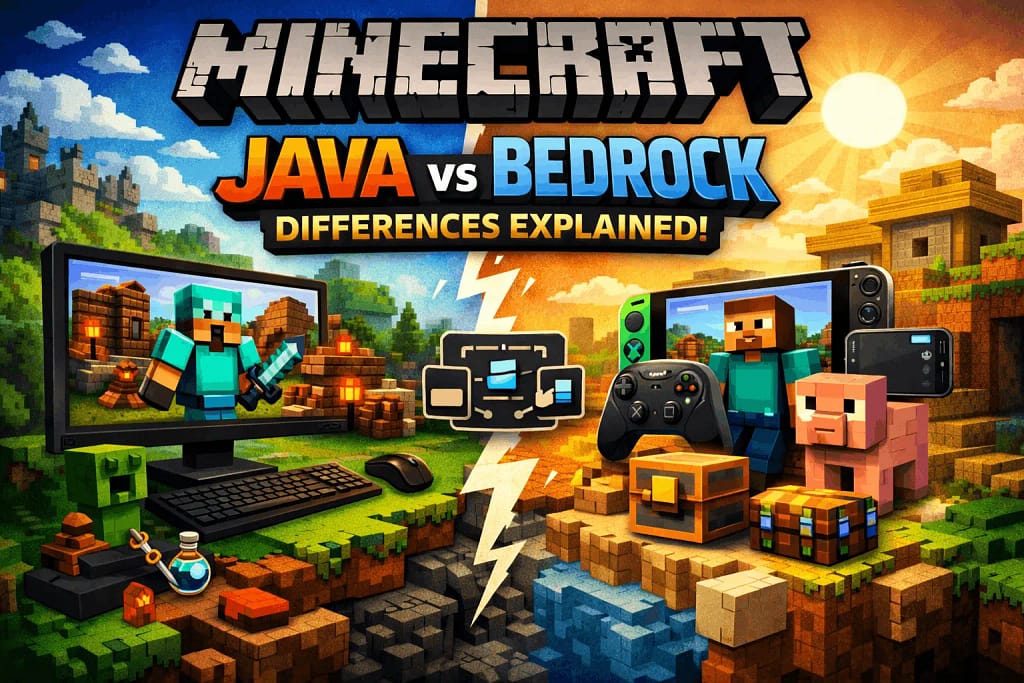
If you’re new to Minecraft, one question shows up very early:
Should I play Java Edition or Bedrock Edition?
At first glance, both versions look identical. Same blocks. Same creepers. Same panic when you hear ssssss.
But under the surface, the Minecraft Java vs. Bedrock differences are real, and they matter, especially for beginners.
This guide explains those differences clearly, honestly, and without hype. By the end, you’ll know which version fits your play style, device, and long-term goals.
What Is Minecraft Java Edition?
Minecraft Java Edition is the original version of the game, released in 2011 by Mojang.
It is written in the Java programming language and mainly designed for PC players.
Key basics:
Available on Windows, macOS, and Linux
Strong modding and customization support
Large community-driven servers
Preferred by advanced players and creators
Java is often called the “classic” Minecraft experience.
What Is Minecraft Bedrock Edition?
Minecraft Bedrock Edition is the newer, unified version built on the Bedrock Engine.
Microsoft designed it for cross-platform play and better performance across devices.
Key basics:
Available on Windows, Android, iOS, Xbox, PlayStation, and Nintendo Switch
Cross-play between devices
Optimized for smoother performance
Uses a marketplace for add-ons and skins
Bedrock focuses on accessibility and consistency.
Minecraft Java vs Bedrock Differences: Core Overview

Before diving deep, here’s the big-picture difference:
| Aspect | Java Edition | Bedrock Edition |
|---|---|---|
| Platforms | PC only | PC + mobile + consoles |
| Cross-play | ❌ No | ✅ Yes |
| Mod support | Excellent | Limited |
| Performance | Depends on PC | Optimized |
| Redstone behavior | Predictable | Inconsistent |
| Marketplace | ❌ No | ✅ Yes |
Now let’s break this down properly.
Gameplay Differences (Most Important for Beginners)
1. Combat System
Java uses the cooldown-based combat system.
You must time your attacks instead of spamming clicks. This adds strategy but feels slower to new players.
Bedrock allows faster, continuous attacks.
This feels more natural for beginners, especially on mobile or controller.
Beginner tip:
If you want simple combat, Bedrock feels easier at first.
2. Redstone Mechanics
Redstone behaves very differently between the two versions.
Java redstone is consistent and predictable
Bedrock redstone can behave inconsistently due to engine differences
This matters if you enjoy farms, machines, or tutorials.
Most redstone tutorials online are made for Java Edition.
Source: Mojang Redstone Documentation
3. World Generation
Both editions share similar terrain today, but small differences still exist.
Java has more experimental and snapshot-based features
Bedrock focuses on stable, device-friendly generation
For normal survival play, beginners won’t notice big differences here.
Controls & UI Differences
Keyboard and Mouse (Java Advantage)
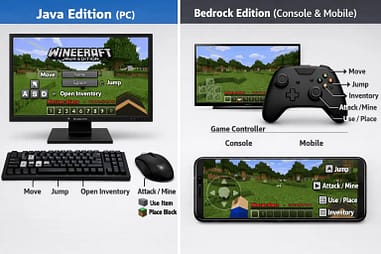
Java Edition is built entirely around keyboard and mouse.
Controls feel precise, especially for:
PvP
Building
Redstone work
Bedrock supports keyboard and mouse on PC, but it’s not as refined.
Controller and Touch Support (Bedrock Advantage)
Bedrock shines on:
Controllers (Xbox, PlayStation)
Touch screens (mobile, tablet)
Java does not support controllers natively.
Beginner takeaway:
PC-only players → Java
Console or mobile players → Bedrock
User Interface
Bedrock UI is
Cleaner
Touch-friendly
Consistent across devices
Java UI feels more traditional and PC-focused.
Neither is “better,” just different.
Updates & Features: How They Arrive
Update Timing
Both editions now receive major updates at the same time.
However:
Java often gets early snapshots
Bedrock gets beta previews
Java players can test features earlier but may face bugs.
Exclusive Features
Java-only examples:
Hardcore mode
Spectator commands with more control
Debug screen (F3) with deep data
Bedrock-only examples:
Cross-play
Marketplace content
Better performance on low-end devices
Source:
Mojang Official Patch Notes
Modding & Customization Differences
This is where the Minecraft Java vs. Bedrock differences become very clear.
Java Edition Mods
Java supports:
Forge
Fabric
Community-made mods
Shaders, custom clients, total conversions
Mods are:
Mostly free
Community-driven
Extremely flexible
This is why YouTube creators prefer Java.
Bedrock Add-ons
Bedrock uses:
Add-ons
Behavior packs
Resource packs
These are more limited and often paid via the Marketplace.
They are safer and easier but less powerful.
Beginner advice:
If you want deep customization later, Java offers more freedom.
Multiplayer & Servers
Java Servers
Java has:
Massive public servers (Hypixel, Mineplex-style legacy)
Custom mini-games
Modded servers
Server owners have more control.
Bedrock Multiplayer
Bedrock supports:
Easy friend joining
Cross-device multiplayer
Featured servers
This makes it excellent for casual play with friends.
Performance & System Requirements
Java Performance
Java relies heavily on:
CPU
RAM
Java optimization
On low-end PCs, it may lag without tweaks.
Bedrock Performance
Bedrock is written in C++, which is more efficient.
It runs:
Smoother
Faster
Better on low-end devices
This is a huge win for beginners with basic hardware.
Beginner-Friendly Breakdown: Which One Should You Choose?
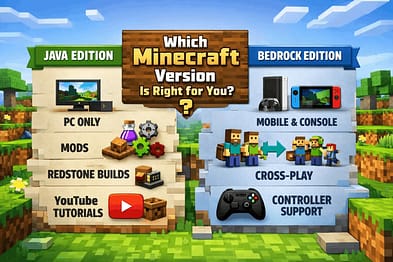
Let’s keep this simple.
Choose Java Edition if:
You play only on PC
You want mods and shaders
You follow YouTube tutorials
You enjoy technical gameplay
Choose Bedrock Edition if:
Do you play on mobile or console
You want cross-play with friends
You prefer smooth performance
You want plug-and-play simplicity
There is no wrong choice—only the right fit.
Common Beginner Myths (Cleared)
Java is harder
Not true. It just offers more depth.
Bedrock is inferior
Also false. It’s optimized and beginner-friendly.
They are completely different games
They share the same core Minecraft experience.
Trusted Sources & References
To maintain accuracy and trust:
These sources consistently confirm the differences discussed above.
Final Thoughts
Understanding Minecraft Java vs. Bedrock differences saves you time, money, and frustration.
Java gives freedom, creativity, and technical depth.
Bedrock delivers performance, accessibility, and easy multiplayer.
For beginners, the best version is the one that fits how and where you play.
Once you know that, the rest is just blocks, tools, and surviving your first night.
And yes—build a house before dark. Always.
Discover more from GroWithMoney
Subscribe to get the latest posts sent to your email.
Pingback: Minecraft Java vs Bedrock edition 2026: A Beginner’s Buying Guide
Pingback: Powerful Facts About Minecraft Java Edition 2026 Every Player Should Know