
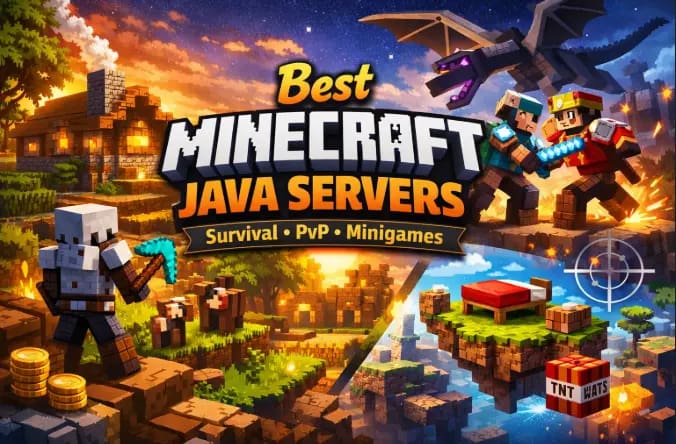
If you play Minecraft on PC, you already know the real magic starts in multiplayer.
The world feels bigger. The builds get crazier. And suddenly, your wooden sword matters a lot more.
In this guide, we’ll explore the best Minecraft Java servers for survival, PvP, and minigames. You’ll also learn how to join them safely and what to check before connecting.
Everything here is based on official server websites and widely recognized community standards — no hype, no fake claims.
This guide focuses specifically on Minecraft Java Edition, which supports community-hosted multiplayer servers.
What Are Minecraft Java Servers?
Minecraft Java Edition allows players to connect to multiplayer servers hosted by communities or organizations.
According to the official Minecraft Help Center by Mojang Studios, multiplayer servers let players “join shared worlds hosted by others” using an IP address or server name (Source: Minecraft.net Support).
Unlike Bedrock Edition, Java servers are usually community-driven and support deep customization through plugins and mods.
That’s why most competitive and long-running communities operate on Java Edition.
Types of Minecraft Java Servers

Not all servers feel the same. Each type offers a different experience, community culture, and difficulty level.
Let’s break them down.
1. Survival Servers
Survival servers stick close to vanilla Minecraft gameplay.
You gather resources. Build bases. Fight mobs. Trade with players. Try not to fall into lava.
Common Features:
Economy systems (shops, trading)
Land claim protection
Player-run towns
Anti-grief tools
Seasonal resets (on some servers)
Some servers keep the experience nearly vanilla. Others add light enhancements like custom mobs or leveling systems.
Well-Known Survival Servers
HermitCraft
A private, invite-only survival multiplayer (SMP) server run by well-known creators. While you cannot join it, it represents the gold standard for community-driven survival gameplay.Minewind
Known for a more chaotic survival environment with minimal rules.The Archon
Offers faction-style survival with competitive elements.
Always check each server’s official website for current IP addresses and rules.
2. PvP Servers
PvP (Player vs Player) servers focus on combat between players.
Skill matters here. So does gear. And sometimes, strategy beats brute force.
Popular PvP Modes:
Factions
KitPvP
Duels
Hardcore PvP
SkyWars
These servers often use plugins to balance combat mechanics and reduce cheating.
Top PvP-Focused Networks
PvP Legacy
Known for competitive 1.8 and modern PvP practice modes.Minemen Club
Popular for low-latency PvP and ranked duels.
These communities focus heavily on anti-cheat systems and fair matchmaking.
If you enjoy fast-paced gameplay and leaderboard grinding, PvP servers are your arena.
3. Minigame Servers
Minigame servers deliver quick, replayable experiences inside Minecraft.
Think of them as arcade hubs within the game.
Common Minigames:
BedWars
SkyWars
Capture the Flag
Build Battle
Murder Mystery
These modes rely on custom plugins and maps created specifically for multiplayer.
Most Popular Minigame Servers
Hypixel
The largest and most established Java server network. It offers BedWars, SkyBlock, SkyWars, and many other polished minigames.
Official website: hypixel.netMineplex
Known for arcade-style minigames and casual-friendly modes.
Official website: mineplex.com
These servers operate under strict moderation and invest heavily in infrastructure stability.
If you want variety without long-term grind, minigame servers are ideal.
How to Join Minecraft Java Servers
Joining a server is simple. But doing it correctly prevents connection errors.
Step-by-Step Guide
1. Launch Minecraft Java Edition
Open the official Minecraft Launcher and start the latest stable release.
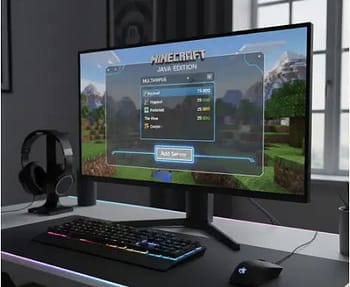
2. Click “Multiplayer.”
Minecraft may show a warning about online play. Accept it to continue.
3. Select “Add Server.”
Enter:
Server Name (any label you prefer)
Server Address (official IP from the server’s website)
4. Click “Done” and Join
If the server is online and compatible with your version, it will connect.
Before joining any server, make sure you have installed the official version. Here’s how to complete your Minecraft Java download properly.
Version Compatibility Matters
Most servers run specific Minecraft versions.
For example:
PvP servers often prefer 1.8.9 mechanics.
Modern survival servers may run the latest releases.
Always check the required version on the server’s official site before joining.
Safety Tips Before Joining Any Server
Multiplayer is fun. But online safety matters.
Here are practical precautions every player should follow.
1. Use Only Official Sources
Always copy server IP addresses from:
Official websites
Verified social media pages
Trusted server listing platforms
Avoid random YouTube comments or Discord DMs claiming “secret servers.”
2. Protect Your Minecraft Account
Minecraft accounts are tied to Microsoft login systems.
Never share:
Your email
Password
Verification codes
No legitimate server needs your account credentials.
3. Beware of “Free Rank” scams.
Some servers sell cosmetic ranks or perks.
That’s normal.
But if someone messages you offering “free admin rank” in exchange for login details, it’s a scam.
Stick to official donation stores linked on server websites.
4. Check Server Rules
Most reputable Minecraft Java servers publish clear rules:
No griefing
No cheating
No harassment
No exploiting bugs
If a server has no visible rules or moderation, expect chaos.
5. Avoid Suspicious Mod Downloads
Some servers require client-side mods.
Only download them from:
Official server pages
Trusted platforms like CurseForge
Never install random executable files.
How to Choose the Right Minecraft Java Server
Not every server fits every player.
Ask yourself:
Do I prefer building or fighting?
Do I enjoy long-term progression?
Do I want casual fun or ranked competition?
Choose Survival If:
You enjoy community builds and steady gameplay.
Choose PvP If:
You like skill-based combat and leaderboards.
Choose minigames. If:
You prefer short, fast matches with instant action.
Also check:
Player count (too empty = boring, too full = lag)
Server uptime
Moderation quality
Community reputation
A good server feels active but not chaotic.
Performance Tips for Better Multiplayer Experience
Lag ruins everything.
Here’s how to improve performance:
Use Ethernet instead of Wi-Fi.
Lower render distance in settings.
Close background apps.
Match server region with your location.
Indian players, for example, may get lower latency on Asian or Middle Eastern-hosted servers compared to US-based ones.
Performance can vary between editions. Here’s a breakdown of Java vs Bedrock performance differences.
Why Minecraft Java Servers Remain Popular
Minecraft Java Edition allows deeper customization compared to Bedrock.
According to the official Minecraft documentation, Java supports extensive plugin ecosystems via server APIs such as Bukkit and Spigot.
That flexibility allows communities to build entirely new game modes.
This open ecosystem keeps Minecraft Java servers fresh, creative, and competitive even years after release.
Quick Comparison Table
| Server | Type | Best For | Difficulty | Recommended Version |
|---|---|---|---|---|
| Hypixel | Minigames | Fast-paced modes like BedWars & SkyWars | Easy to Moderate | Latest Stable Release |
| Mineplex | Minigames | Casual players and arcade-style games | Easy | Latest Stable Release |
| PvP Legacy | PvP | Practice duels and competitive combat | Moderate to Hard | 1.8.9 or Supported PvP Versions |
| Minemen Club | PvP | Ranked PvP and low-latency fights | Hard | 1.8.9 Preferred |
| TheArchon | Survival / Factions | Competitive survival with economy | Moderate | Check Official Site |
| Minewind | Survival | Minimal-rule survival gameplay | Hard | Check Official Site |
Before Joining Any Server:
Check Minecraft version
Copy IP from official site
Read rules
Enable 2FA on Microsoft account
Lower render distance for smoother gameplay
Download the Minecraft Java Server Starter Guide (Free PDF)
Want a printable version with safe joining steps, server comparison, and performance tips?
Download the complete Minecraft Java Server Starter Guide and keep it for quick reference.
Download the Free PDF Here Minecraft_Java_Server_Starter_Guide
The Mistake I Made on My First Minecraft Java Server
When I first started exploring Minecraft Java servers, I made the classic mistake: I joined the busiest server I could find without checking anything else. Within five minutes, I was lost in spawn, chat was flying, and someone had already tried to lure me into a “free rank” trap. Lesson learned.
After that, I slowed down. I began reading server rules, checking version compatibility, and choosing modes based on my mood. On survival servers, I found that joining a small town early helped me build connections faster. Playing solo felt peaceful, but teamwork made progress smoother and more fun.
PvP servers were humbling. I thought I was decent at combat—until I faced experienced players. Getting defeated repeatedly taught me more about timing and positioning than any tutorial could. Practice servers helped me improve without risking everything.
Minigame servers became my go-to when I had limited time. Quick matches meant instant action without long commitment. Perfect for evenings when I just wanted fun without grinding.
The biggest takeaway? The right server makes all the difference. Choosing carefully saved me frustration—and a few digital swords.
Frequently Asked Questions
1. Are Minecraft Java servers free to join?
Most public Minecraft Java servers are free to join. Server owners may offer optional purchases such as cosmetic ranks or perks, but core access is typically available without payment. According to the official Minecraft Help Center, multiplayer servers allow players to connect using a server address through the in-game multiplayer menu. Minecraft’s Commercial Usage Guidelines also explain what server owners are allowed to sell, mainly cosmetic or non-game-breaking perks. Policies may change, so always review the server’s official website before making purchases.
Source: Minecraft Help Center
Source: Minecraft Commercial Usage Guidelines
2. How do you join a Minecraft Java server?
To join a Minecraft Java server, open Minecraft Java Edition and select “Multiplayer.” Then choose “Add Server” and enter the server’s official IP address. The official Minecraft website explains that players must use the correct version compatible with the server. If the version does not match, the connection may fail. Always use the server address listed on the official website or verified platform.
Source: Minecraft.net
3. Are Minecraft Java servers safe?
Minecraft Java servers can be safe if players follow official guidelines. Microsoft and Minecraft recommend never sharing account credentials, including passwords or verification codes. Safety depends largely on server moderation, rule enforcement, and player behavior. Minecraft accounts now use Microsoft authentication, which adds security features such as two-step verification. However, safety practices vary by server, so users should review server rules and community standards before joining.
Source: Microsoft Support
Source: Minecraft Help Center
4. Can you create your own Minecraft Java server?
Yes, Mojang provides official server software for Minecraft Java Edition. Players can download it directly from the official Minecraft website. Hosting a server requires hardware resources, internet bandwidth, and basic network configuration knowledge. The official download page includes setup instructions and version files.
Source: Minecraft Official Server Download
5. Are Minecraft Java servers cross-platform with Bedrock?
Minecraft Java servers are not cross-platform with Bedrock Edition by default. Mojang states that Java Edition and Bedrock Edition use separate multiplayer systems. Players using Java Edition can only join Java servers unless server administrators use third-party tools, which are not officially supported by Mojang.
Source: Minecraft Help Center
Trusted Sources and References
Official Minecraft Documentation
How to play Minecraft servers (Java & Bedrock) – Official steps on joining servers
Official Minecraft Server List – Community-verified servers meeting Minecraft’s standards
Download Minecraft Java Edition Server Software— Players who want to host their own server
Reliable Community Guides
Guide: How to join Minecraft servers – Clear walkthrough for Java Edition including safety tips
How to join Minecraft servers (general guide) – Helpful third-party tutorial covering Java Edition
Independent Lists of Popular Servers
Top Minecraft Java servers listings (2026) – Updated community server list you can explore
Minecraft Server Lists & Votes – Ongoing listing of active servers by player votes and modes
Final Thoughts
The best Minecraft Java servers depend on what you enjoy most.
If you love long-term building, go survival.
If competition excites you, try PvP.
If you want quick fun, minigames deliver.
Stick to official sources, protect your account, and respect server rules.
Multiplayer Minecraft works best when communities stay fair and creative.
Choose wisely — and maybe don’t dig straight down this time.
Still unsure which edition fits your playstyle? Read our detailed search before you choose.
Discover more from GroWithMoney
Subscribe to get the latest posts sent to your email.