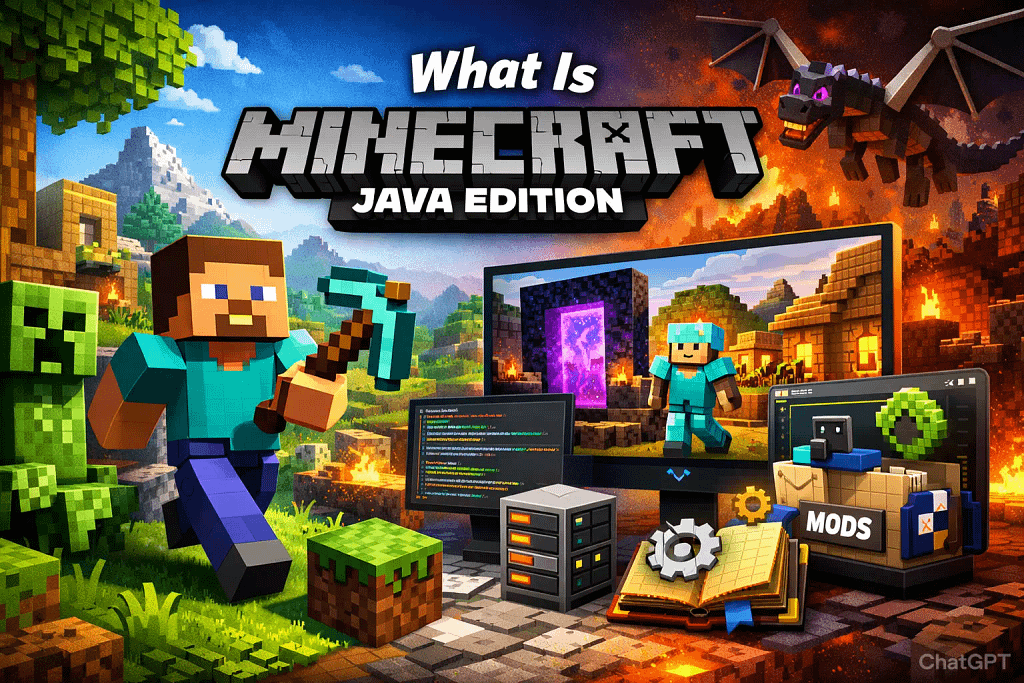
If you’ve searched for Minecraft Java Edition, you’re probably trying to understand what makes it different—and why so many long-time players swear by it.
Is it better?
Is it only for PC?
And why does everyone talk about mods?
In this complete guide, we’ll break down exactly what Minecraft Java Edition is, how it started, what features make it unique, and who should actually play it. No hype. No confusion. Just clear, fact-based information.
Table of Contents
ToggleWhat Is Minecraft Java Edition?
Minecraft Java Edition is the original version of Minecraft, developed by Mojang Studios and first released publicly in 2011.
It runs on the Java programming language and is available for:
Windows
macOS
Linux
Unlike other versions of Minecraft, Java Edition is designed specifically for PC platforms. It offers deeper customization, mod support, and access to community-built content.
If you value flexibility and creativity without platform limitations, this version stands out.
If you’re unsure how it compares to other versions, read our detailed Minecraft Java vs Bedrock comparison guide.
Features of Minecraft Java Edition

Let’s look at the features that define the experience.
1. Full Mod Support
This is the biggest reason many players choose Minecraft Java Edition.
Mods (short for modifications) allow players to change gameplay completely. You can:
Add new biomes
Introduce custom mobs
Create advanced machines
Improve graphics with shaders
Turn the game into a completely different genre
Popular mod platforms like CurseForge host thousands of community-made mods.
Java Edition supports mods natively because it runs on Java and allows file-level customization. Other versions do not provide the same level of freedom.
If you want total control, Java gives it.
2. Access to Snapshots
Minecraft Java Edition allows players to test “snapshots,” which are experimental builds of upcoming updates.
This means:
You can try new features early
You can report bugs
You can preview upcoming content
Snapshots are officially released by Mojang Studios and are optional to install.
This feature is especially useful for content creators and technical players who enjoy exploring changes before official release.
3. Custom Servers and Multiplayer Freedom
Java Edition offers open server support.
Players can:
Join public servers
Create private servers
Host servers on their own PC
Use third-party hosting providers
Large community servers like Hypixel operate on Java Edition.
These servers introduce custom mini-games, ranking systems, and entirely new gameplay modes built by developers.
This open ecosystem allows creativity beyond the base game.
4. Advanced Redstone Mechanics
Redstone is Minecraft’s in-game logic system.
Java Edition supports more technical behavior and consistent mechanics compared to other versions.
This matters for players who:
Build automated farms
Create logic circuits
Design large-scale technical builds
The technical Minecraft community largely prefers Java because of this predictability.
Technical builders should also read our Java vs Bedrock redstone comparison guide.
5. Keyboard and Mouse Optimization
Minecraft Java Edition was designed for PC from the beginning.
That means:
Full keyboard and mouse controls
Quick inventory management
Better precision for building and PvP
It feels natural on desktop platforms because that’s where it started.
6. Free Resource Packs and Skins
Players can easily download:
Custom skins
Resource packs
Shader packs
Most of these are free and community-created.
The official Minecraft website provides documentation on how to install resource packs safely.
No marketplace restrictions. No mandatory purchases.
You can explore a full breakdown in our Minecraft Java vs Bedrock differences article.
History of Minecraft Java Edition
Understanding the history helps explain why this version remains influential.
Early Development
Minecraft was originally created by Markus Persson, also known as “Notch,” in 2009.
The game began as a small sandbox project and gained popularity through online communities.
By 2011, Minecraft officially launched its full release version.
Official reference: Mojang Developer Blog archives
Acquisition by Microsoft
In 2014, Microsoft acquired Mojang Studios.
This changed the scale of Minecraft significantly.
However, Minecraft Java Edition continued to receive updates and support.
Microsoft introduced cross-platform versions later, but Java Edition remained active and updated alongside other versions.
Unified Purchase Model (2022 Change)
In 2022, Mojang announced that purchasing Minecraft on PC would include both Java Edition and Bedrock Edition together.
This made access easier for new players while keeping Java Edition fully supported.
Official confirmation: minecraft.net
Continuous Updates
Minecraft Java Edition receives the same major content updates as other versions.
For example:
The Caves & Cliffs Update
The Wild Update
Trails & Tales Update
All major updates are released simultaneously across editions, though technical details may vary slightly.
Java remains a core version—not an outdated one.
Who Should Play Minecraft Java Edition?
Not everyone needs Java Edition. But for certain players, it’s ideal.
Let’s break it down clearly.
1. PC Players Who Love Customization
If you play on Windows, macOS, or Linux and want:
Mods
Shaders
Custom mechanics
Server plugins
Java Edition fits you perfectly.
It provides maximum control over the game environment.
2. Technical Builders
If you enjoy:
Redstone engineering
Automation farms
Complex logic systems
Java Edition offers more consistent mechanics.
Many YouTube technical creators prefer it for this reason.
3. Multiplayer Enthusiasts
Java Edition supports massive custom servers like Hypixel.
If you enjoy mini-games, ranked modes, and community-run experiences, Java gives broader access.
4. Mod Developers and Programmers
Because it runs on Java, developers can:
Create custom mods
Build tools
Develop server plugins
The technical barrier is lower compared to other versions.
Still confused about which version fits you best? Check our detailed guide on which is better: Minecraft Java or Bedrock.
Who Should NOT Choose Java Edition?
It’s important to be honest.
Java Edition may not be ideal if:
You want cross-play with console or mobile players
You play primarily on Xbox, PlayStation, or Nintendo Switch
You prefer marketplace-based content with minimal setup
Other versions are optimized for cross-device play.
Java focuses on PC freedom.
System Requirements
Minecraft Java Edition runs on most modern PCs.
According to the official Minecraft website, minimum requirements include:
64-bit Windows, macOS, or Linux
At least 4GB RAM (8GB recommended)
Updated graphics drivers
Java runtime environment
Performance depends on:
Mods installed
Shader usage
Server load
Vanilla gameplay runs smoothly on mid-range systems.
For FPS, optimization, and hardware comparison, see our Minecraft Java vs Bedrock performance comparison.
Security and Account System
Minecraft Java Edition requires a Microsoft account for login.
This replaced older Mojang accounts to improve security and unify account systems.
Official security updates are managed through Microsoft authentication systems.
Always download the game from the official website to avoid unofficial installers.
Is Minecraft Java Edition Still Worth It?
Yes—if your goal is flexibility and depth.
Java Edition remains:
Actively updated
Widely supported
Strongly backed by the community
Technically advanced
It may not offer cross-platform convenience, but it delivers unmatched customization on PC.
That trade-off is intentional.
Frequently Asked Questions
1. Is Minecraft Java Edition different from Minecraft Bedrock Edition?
Yes. Minecraft Java Edition and Bedrock Edition are built on different codebases and have technical differences. Java Edition runs on Java and is designed for Windows, macOS, and Linux, while Bedrock Edition is built on a different engine and supports cross-platform play across consoles, mobile, and Windows. Java Edition allows full mod support through community tools, while Bedrock uses the official Marketplace for most add-ons. Mojang Studios confirms these structural and platform differences on its official website.
Source: Minecraft Official Site
2. Can Minecraft Java Edition play with Bedrock Edition?
No. Minecraft Java Edition does not officially support cross-play with Bedrock Edition. According to Mojang Studios, cross-platform multiplayer is available within Bedrock-supported devices, but Java Edition operates separately on its own server system. Some community-run servers attempt workarounds, but there is no official cross-play feature supported by Mojang or Microsoft as of 2026.
Source: Minecraft Help Center
Source: Minecraft Official Site
3. Does Minecraft Java Edition support mods?
Yes. Minecraft Java Edition supports player-created modifications (mods). Mojang does not officially distribute mods, but the game allows users to install third-party modifications at their own discretion. The official Minecraft website acknowledges that Java Edition enables custom content such as resource packs and community modifications. Players should download mods only from trusted platforms to reduce security risks.
Source: Minecraft Help Center
Source: Minecraft Official Site
Download the Free Minecraft Java Edition Guide (PDF)
If you want a structured, printable reference version of this guide, download our free PDF below.
It includes:
Quick comparison summary
Beginner setup checklist
Performance optimization tips
Mod categories overview
Safety recommendations
Download Here: Minecraft_Java_Edition_Advanced_Guide
Minecraft Java Edition vs Bedrock (Quick Comparison)
| Feature | Java Edition | Bedrock Edition |
|---|---|---|
| Platform | Windows, macOS, Linux | Cross-platform |
| Mods | Full third-party mods | Marketplace add-ons |
| Redstone | More technical consistency | Slightly different behavior |
| Cross-play | No | Yes |
Common Mistakes New Java Players Make
Installing too many heavy mods at once
Ignoring system requirements
Joining unmoderated public servers
Downloading unofficial launchers
Final Thoughts
Minecraft Java Edition represents the foundation of the Minecraft universe.
It began as an indie sandbox idea by Markus Persson and grew into one of the most influential games in history under Mojang Studios and Microsoft.
If you value customization, modding, and technical freedom on PC, Minecraft Java Edition remains the most powerful way to play.
If you want simple cross-play across devices, another edition might suit you better.
The key is understanding what you want from the game.
Now you do.
Sources
Share this:
- Share on Facebook (Opens in new window) Facebook
- Share on X (Opens in new window) X
- Share on Threads (Opens in new window) Threads
- Share on Pocket (Opens in new window) Pocket
- Share on LinkedIn (Opens in new window) LinkedIn
- Share on Nextdoor (Opens in new window) Nextdoor
- Share on Mastodon (Opens in new window) Mastodon
- Share on Bluesky (Opens in new window) Bluesky
- Share on WhatsApp (Opens in new window) WhatsApp
- Share on Pinterest (Opens in new window) Pinterest
- Share on Tumblr (Opens in new window) Tumblr
- Share on Telegram (Opens in new window) Telegram